01
Care requests, in context
Bring your care need, supporting information and next steps together in one request.

Start with what is happening now. Organise care requests, important information and the next step in one calm, connected experience.
A private workspace helps authorised teams keep requests and next steps organised.
Make every care conversation easier to follow: start with the need, bring context together and keep the next step visible.

Turn a care need into a focused request with the details that matter.
Keep questions, documents and care information easy to revisit.
Use one clear view to follow a request from start to next step.
When care moves from one conversation to the next, families need a better way to keep the details together. Medical Advisor gives requests, information and follow-up a shared home.
Important instructions, reports and questions are spread across paper, messages and memory.
Keep the request, the information and the next conversation in one clear place.
Families spend time finding the right information and deciding what to do next.
Start with the question and build a focused pathway for the next step.
Documents can be hard to find when they are needed for the next conversation.
Keep relevant care information organised and easier to revisit.

Create a clearer handoff between the people, information and requests that shape a care journey.
Capture the question and the context behind it
Give families and authorised teams a shared view of what comes next
Return to requests, updates and documents without starting over
One experience for people navigating care. One workspace for authorised teams coordinating what comes next.
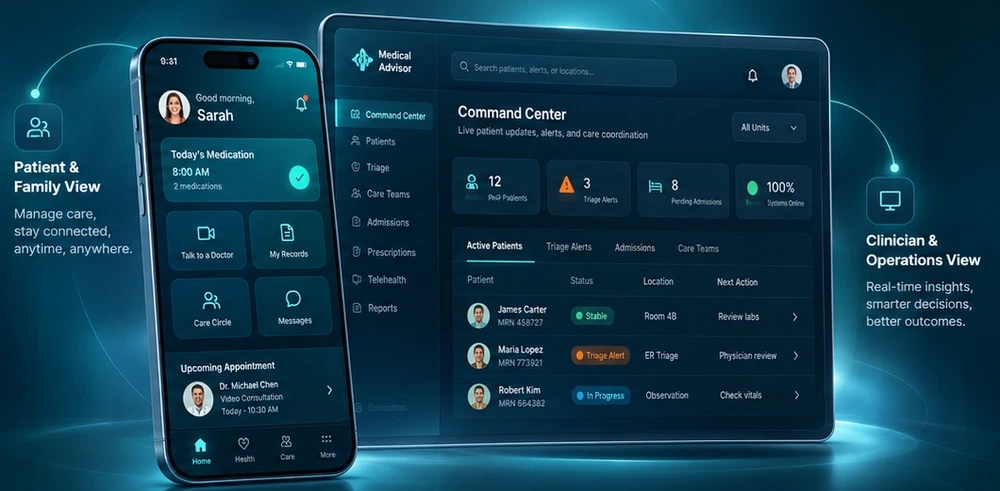
Bring your care need, supporting information and next steps together in one request.
Give the people around care a shared view of the journey ahead.
Help authorised care teams see the information they need to coordinate next steps.
Choose a pathway that matches the question in front of you, then organise the details needed for the next conversation.
Find the consultation pathway that best fits your care need.
Insurance and scheme eligibility depends on the plan, provider and individual request.
Review the privacy information to learn how health records are handled.
See how a home-care pathway can support the next stage of care.
Equipment options and availability vary by location, provider and request.

Medical Advisor helps people keep their care requests, health information and next steps close when they need it most.
Care feels more manageable when the next step is clear and the important information is close.
Start a care request, keep important details organised and follow the next step from your phone.
Choose a pathway that gives your care question a clear starting point.
Follow the request and the next step without losing the context behind it.
Keep relevant documents and health information ready for the next conversation.
Understand health information in clearer language and prepare better questions for a qualified professional.
AI summaries are strictly informational. AI information does not replace professional medical advice.
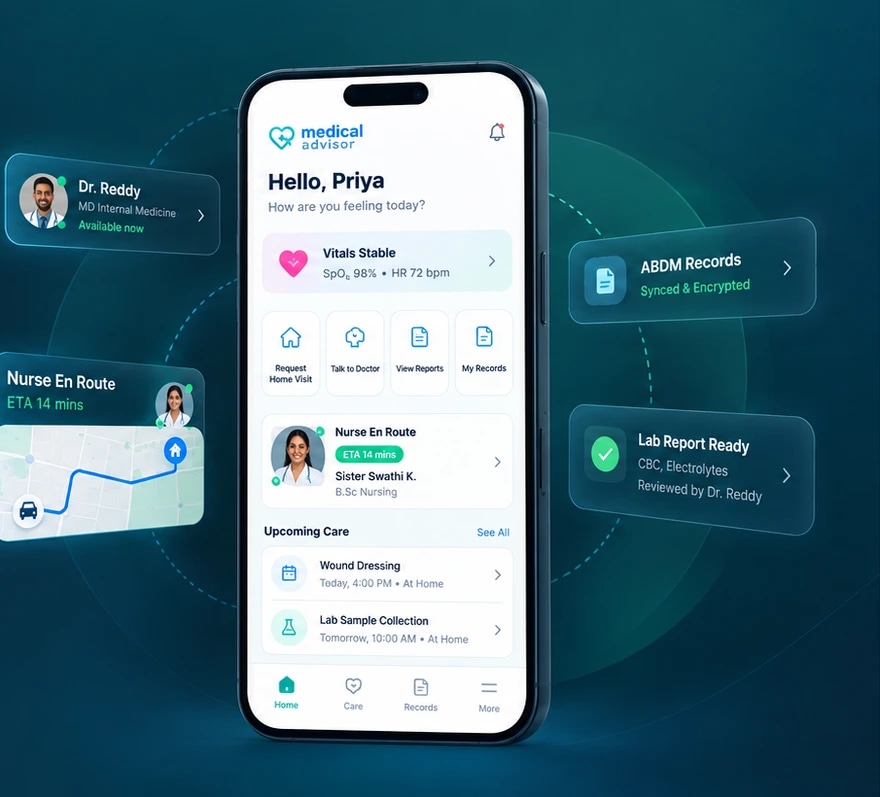
Keep the information and next steps around care organised between appointments.
Keep relevant health documents and care details together in one place.
Use a shared care view to keep requests, schedules and next steps easy to follow.
Bring the people around care into a more informed conversation.
Care organiser preview · no patient data
A calm place to organise the next step
Start with your need, then keep the next step in view.
Keep important care information together and easy to revisit.
Move through your care journey with clarity and confidence.
Choose what you need help with, then organise the information and next steps for that pathway.
Bring your question and relevant information into one focused pathway.
A simple, visible flow helps people turn a care need into a request, an informed conversation and a clearer next step.
Capture the question and the important details around it.
Keep people, documents and the care conversation on the same page.
Use the pathway to understand what needs to happen next.
Return to request details and available information when you need them.
Explore the information and pathways that can help turn a care question into a better prepared next conversation.
Make dense health information easier to read and prepare questions for a qualified professional.
Explore general emergency information; this service is not emergency response.
Find a focused starting point for the question you want to discuss.
Keep the details around recovery organised as care moves from one setting to the next.
Understand the questions to ask about coverage before making a request.
Explore the home-care pathway and prepare the context needed for the next conversation.
Explore rehabilitation information and bring a clearer set of questions to a qualified professional.
Understand which details matter when discussing equipment needs with a provider.
Keep the documents that matter together and review privacy information before sharing.
Prepare the details needed to discuss a diagnostic-related care request.
From the first question through the next step, Medical Advisor helps families keep the care journey understandable and organised.
Capture the care need and the information that helps explain it.
Make the request easier for the people around care to understand.
Return to the request and available updates when you need them.
Bring related documents and care information into one clear view.
Medical Advisor gives people around care a shared place to understand the request, the information and what comes next.
A simple view of the request, the information around it and what comes next.
→ More clarity around every care conversationThe context to coordinate requests and guide the next conversation.
→ Less time piecing together the care storyA shared view of requests and information when care moves between people and places.
→ A more connected path through careSee how a better-organised care journey turns everyday uncertainty into a more useful next conversation.
Turn a care question into a request that carries the right context forward.
Bring the need, the relevant information and the next conversation into one structured view.
Make it easier for the people around care to understand what needs attention now.
A shared pathway keeps the question, the information and the next step connected.
A focused workspace for authorised teams to organise service requests, care information and follow-up.
A focused view of requests, care information and the next action for authorised teams.
Use Medical Advisor to organise care requests and information. For medical advice, diagnosis or emergency help, use the appropriate qualified professional or local emergency service.
Read the privacy policy before uploading sensitive health documents.
AI-supported content is informational and cannot replace a qualified healthcare professional.
For urgent medical situations, use local emergency services. This app is not emergency response.
Confirm the relevant provider and service details before making a request.
If someone needs urgent help, contact the emergency service for your location. Ambulance services and options can vary by state or union territory.
112
India’s unified number for urgent emergency assistance, including health services.
Call 112108
Ambulance response for critical emergencies, trauma and accidents where this service operates.
Call 108102
Patient transport, with a focus on maternal and child health services where available.
Call 102Use the number and service available in your area. If you are outside India, contact your local emergency number.
Straight answers about care requests, health information, the care-team workspace and the boundaries that matter before you begin.
Medical Advisor is a healthcare services platform with a mobile app for people seeking care support and a companion web workspace for the teams who manage services and requests.
A mobile app for service requests and a separate care-team workspace.
Explore care options in the app, or see how care teams work with requests and records.